
Voice Notes to Text Notes1.5 - Google Play
You'll be able to see results in few seconds.
Publisher Description


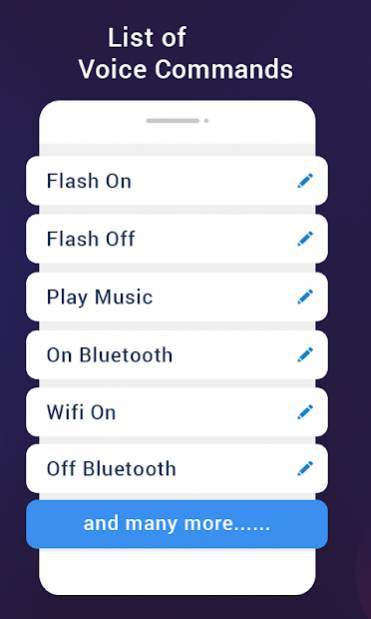
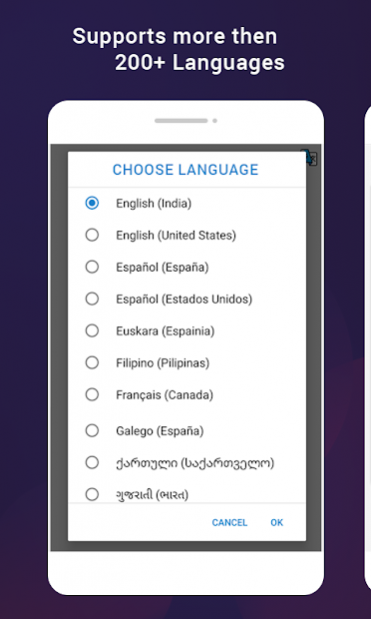
Speech to Text Notes is a very useful app that helps you type all your personal notes by simply talking to it. It has many defaults functions like e.g. when want to remove a word say "delete" it remove the last word typed, or you want to move to next line just say "next". All these defaults functions can be changed to your choice of words.
Like instead of "delete" you want to use "remove" than you may edit the word.
App Main Features :
1. Voice to Text Notes
- Create Notes on a single touch.
- Speak that you want to type.
- Use voice commands e.g.: to delete a word, goto next line, full stop, comma, etc.,
- Customize commands by choosing an action on word spoken.
- Pause in between typing notes.
- Save your notes and you may continue typing again later.
- Add your Notes to calendar.
- Create an event of the note. Set alarm reminder.
- Share your notes easily.
2. Voice Notes in Voice Recorder
- Save your important talk using voice recorder.
- Use it while in meeting or in a lecture where you need take down notes.
- This voice recorder will allow to listen and take notes later while you concentrate in the lecture or meeting.
- Save voice notes as .Mp3 file.
- Share voice notes on social media.
3. Event Manager
- Save your notes to calendar to create event reminder.
- View notes in calendar month wise.
- View all events in timeline. See events completed or upcoming events in timeline.
- Delete or share your event any time.
This app more like a personal assistant to you.
About Voice Notes to Text Notes
The company that develops Voice Notes to Text Notes is Dilip Master Apps. The latest version released by its developer is 1.5.
To install Voice Notes to Text Notes on your Android device, just click the green Continue To App button above to start the installation process. The app is listed on our website since 2021-12-10 and was downloaded 0 times. We have already checked if the download link is safe, however for your own protection we recommend that you scan the downloaded app with your antivirus. Your antivirus may detect the Voice Notes to Text Notes as malware as malware if the download link to com.dm.apps.speechtotextnotes is broken.
How to install Voice Notes to Text Notes on your Android device:
- Click on the Continue To App button on our website. This will redirect you to Google Play.
- Once the Voice Notes to Text Notes is shown in the Google Play listing of your Android device, you can start its download and installation. Tap on the Install button located below the search bar and to the right of the app icon.
- A pop-up window with the permissions required by Voice Notes to Text Notes will be shown. Click on Accept to continue the process.
- Voice Notes to Text Notes will be downloaded onto your device, displaying a progress. Once the download completes, the installation will start and you'll get a notification after the installation is finished.
Program Details
System requirements
Download information
Pricing
Version History
version 1.5
posted on 2021-12-10
- Improved app performance.
- Removed errors & bugs.
Disclaimer
Official Google Play Link
We do not host Voice Notes to Text Notes on our servers. We did not scan it for viruses, adware, spyware or other type of malware. This app is hosted by Google and passed their terms and conditions to be listed there. We recommend caution when installing it.
The Google Play link for Voice Notes to Text Notes is provided to you by apps112.com without any warranties, representations or guarantees of any kind, so access it at your own risk.
If you have questions regarding this particular app contact the publisher directly. For questions about the functionalities of apps112.com contact us.
